
To live stream from device to Recast.tv, you’ll need:
Note: Please be aware of the following details when streaming from device;
Visit the app store on your mobile device and install an app called ‘Larix Broadcaster’ (Andriod or iOS). Once installed, familiarise yourself with the app. You can find an in-depth guide here that provides more detail about the app and its various settings.
You will need to schedule your live event on Recast Publish before you use Larix Broadcaster app.
Steps to create a live stream from device on Recast.tv:
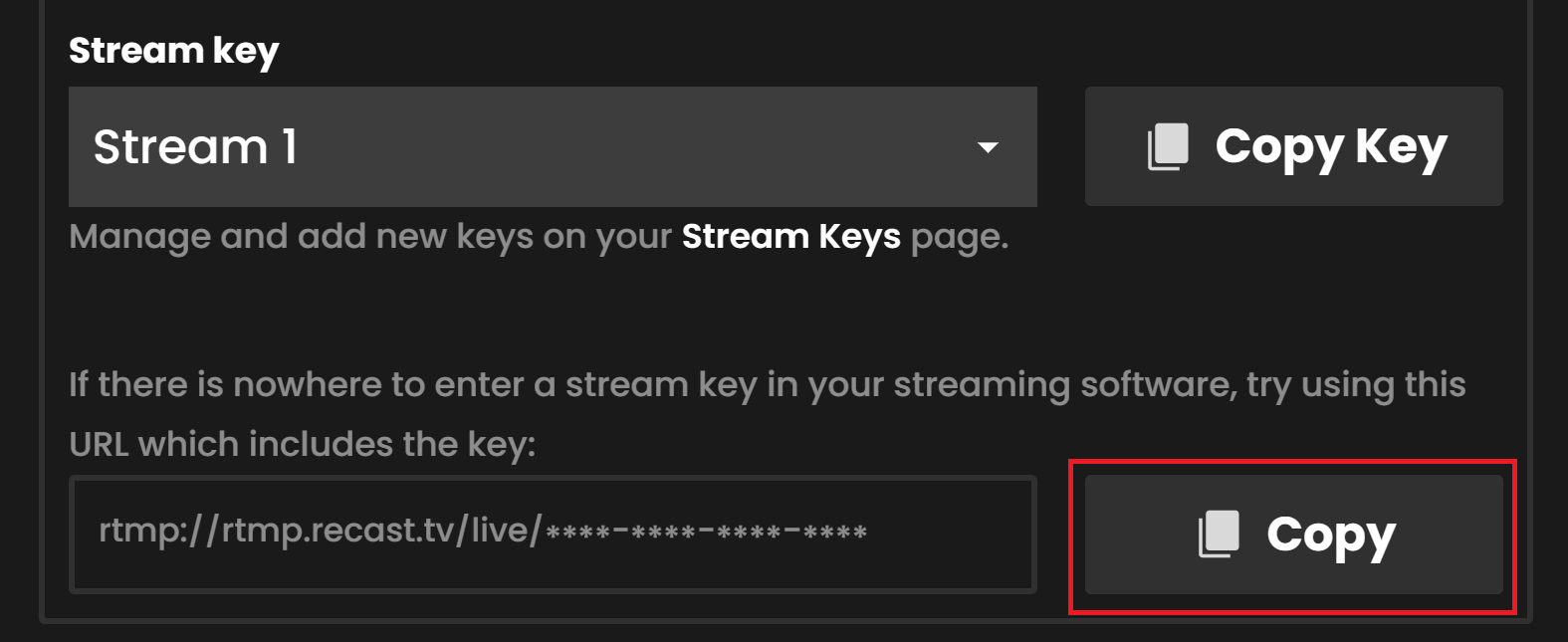
When using the supported Larix broadcaster App, you can stream from device on Recast.tv by following the steps:
1. Open the Larix Broadcaster App
2. Set up a new connection by going to:
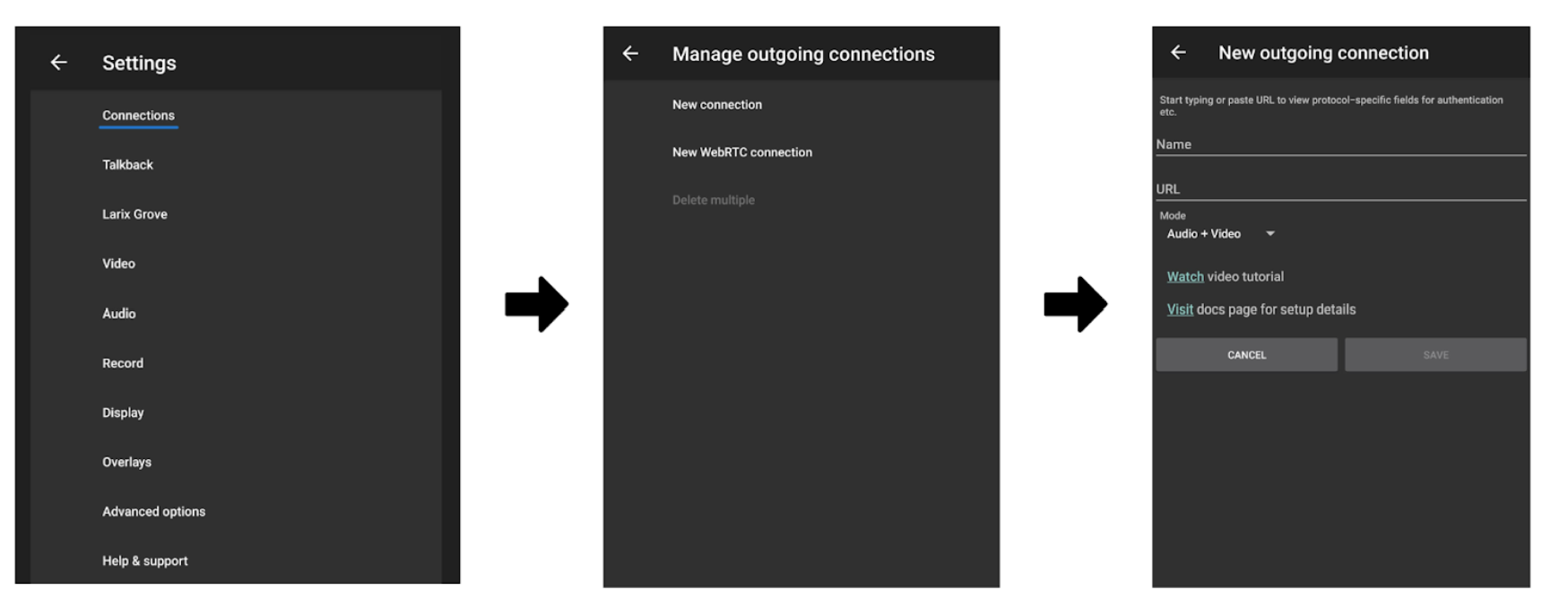
3. Fill in the following details for the new connection
4. Save your changes
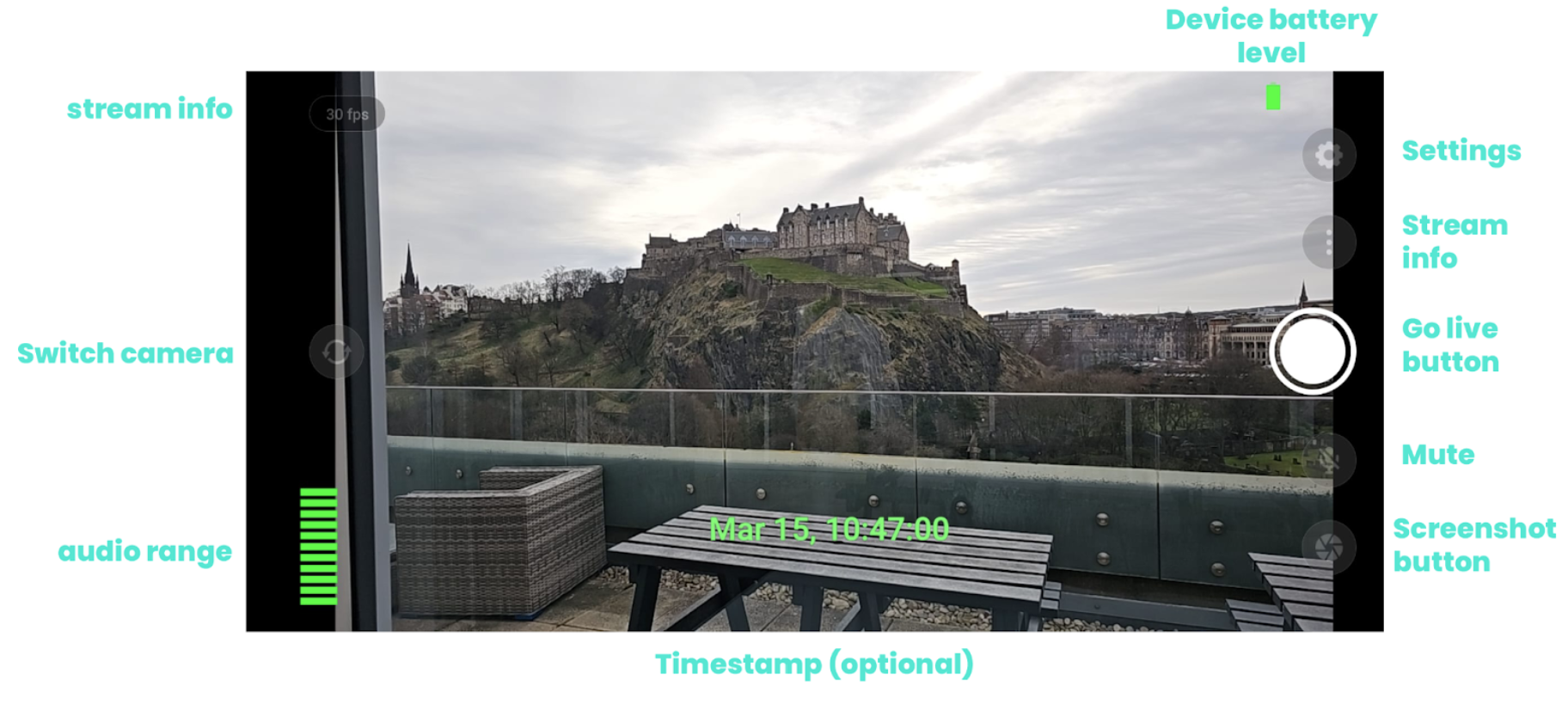
5. Return to the camera view and click go live.
Please note: Your stream will not be live through your widget until you have retuned to Recast Publish and clicked on go live.
6. Return to Recast for Business to view your preview on the ‘Stream Setup’ page.
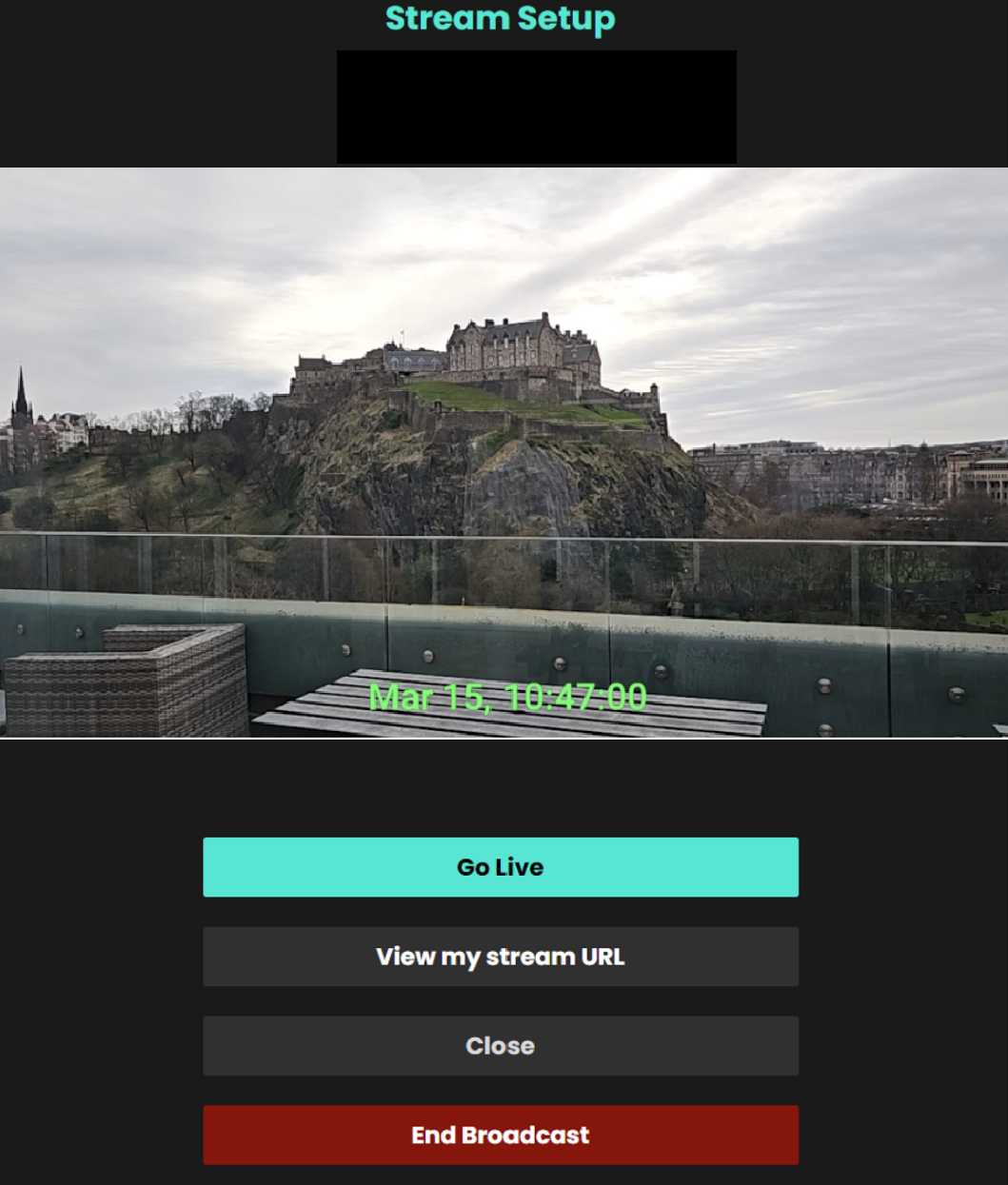
7. Click go live for the stream to be visible on your Recast channel
8. Once you are ready to end your stream remember to select ‘End Broadcast’.
9. Head back to the Larix App and end the broadcast there too.
Please Note: it takes around 1 minute to end the broadcast, please wait for the ‘stream deleted’ message to appear before closing.


